
Download Bynamite – Free, Secure Browser Extension for Controlling Ad Interests
Overview
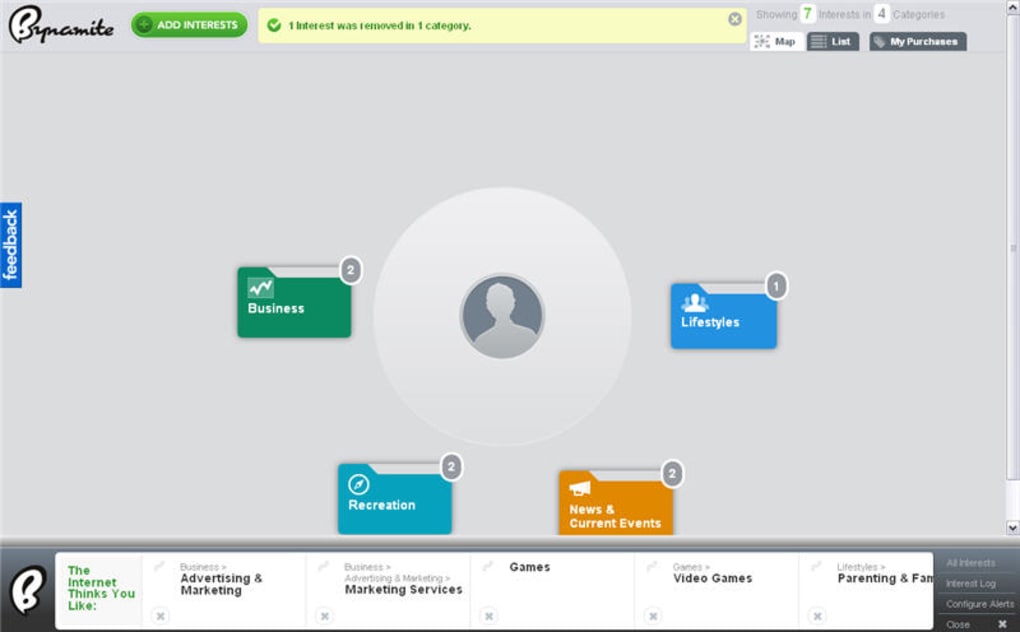
Bynamite is a lightweight browser add‑on for Firefox and Chrome that puts the power of ad‑interest management back into the hands of the user. Unlike traditional ad‑blockers that simply hide advertisements, Bynamite focuses on transparency: it reveals which interests the major ad networks have inferred from your browsing history and gives you the ability to edit, delete, or even add new interests. When you click the tiny Bynamite icon that appears in your toolbar, a concise bar expands to show a list of categories—such as “travel,” “technology,” or “fitness”—that advertisers currently associate with you.
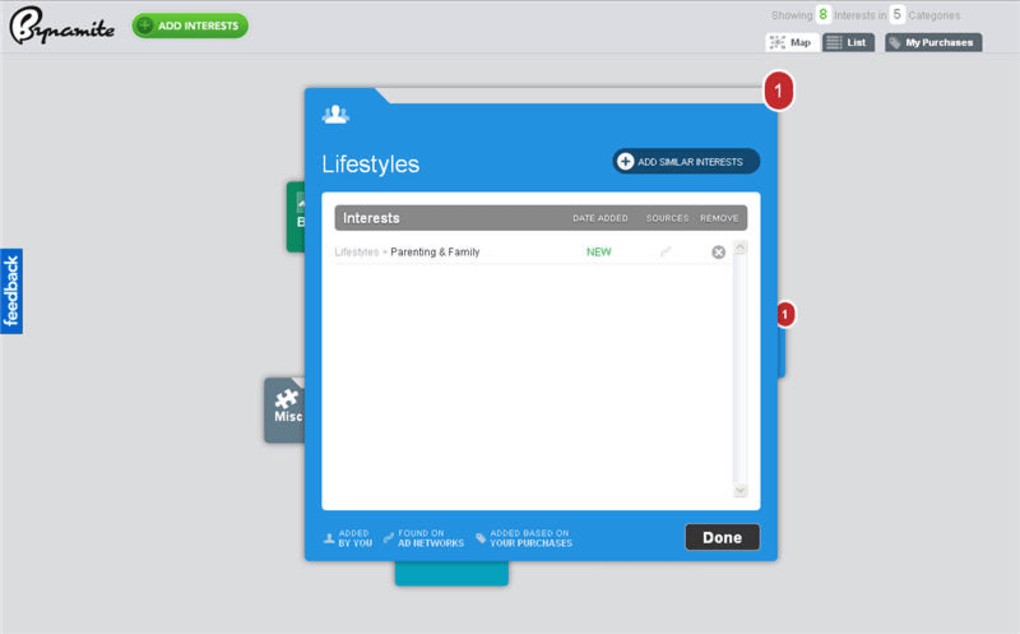
From there you can instantly remove any category you no longer wish to be targeted for, or you can flag new categories so that you receive a notification each time the extension discovers fresh data. A weekly email digest is also available, summarising any changes that occurred over the past seven days. In addition to the pop‑up bar, Bynamite offers a dedicated home page that visualises your interest map in a colorful, easy‑to‑read layout.
This visualisation helps you understand how your online behaviour translates into advertising profiles. By allowing you to fine‑tune these profiles, Bynamite creates a middle ground between full‑on privacy (blocking all ads) and unrestricted data mining (letting every tracker collect without oversight). The extension works best when you keep a relatively open privacy setting—such as staying signed into Google but disabling history tracking—so that there is enough data for Bynamite to analyse but not so much that you feel constantly surveilled.
Overall, Bynamite delivers a user‑friendly, privacy‑respectful approach to ad control, turning opaque data collection into a clear, manageable interface.
Key Features
- Real‑time display of inferred ad interests directly from the toolbar.
- One‑click removal of unwanted interest categories to stop related ads.
- Option to add custom interests, allowing you to steer advertisers toward topics you genuinely care about.
- Weekly email newsletter summarising new interests detected during the past week.
- Interactive visual map on the Bynamite home page that illustrates the breadth of your recorded interests.
- Push notifications when new interests are added, keeping you instantly aware of changes.
- Support for both Firefox and Chrome, with automatic updates via the respective web stores.
- Lightweight codebase that adds less than 2 MB to your browser’s memory footprint.
- Open‑source components that allow the community to audit data handling practices.
- Secure data storage that encrypts your interest list locally; no personal data is transmitted to third parties without your consent.
Installation, Setup & Daily Usage
Step‑by‑Step Installation
Installing Bynamite is straightforward. Visit the official Chrome Web Store or Firefox Add‑ons site, search for “Bynamite,” and click the “Add to Chrome” or “Add to Firefox” button. The extension will request permission to read your browsing data on all sites – a requirement for analysing the interests that ad networks derive from your activity. Once granted, the Bynamite icon (a small stylised bomb) appears in the toolbar.
First‑Run Configuration
On the first launch, Bynamite opens a brief onboarding wizard. You’ll be asked whether you want to receive push notifications and weekly email updates. Choose your preferences, then click “Start Scan.” The extension will silently crawl your recent browsing history (the last 30 days by default) and compile a list of inferred interests. This process typically completes within a minute, after which the pop‑up bar shows the first set of categories.
Daily Interaction
Every time you notice an ad that feels irrelevant, simply click the Bynamite icon, locate the matching interest in the list, and hit the “Remove” button next to it. The change takes effect instantly; you will no longer see ads based on that category. If you discover a new hobby you’d like advertisers to recognise—say, “vegan cooking”—you can click “Add Interest” and type the term. Bynamite will then inform ad networks that you’re interested, increasing the likelihood of seeing relevant offers.
Troubleshooting Common Issues
Should the extension fail to detect any interests, verify that you have allowed it to read browsing data in the browser’s extension settings. If push notifications are silent, ensure that the browser’s notification permissions for Bynamite are set to “Allow.” For email newsletters, confirm that the address you entered is correct and that your inbox isn’t filtering the messages as spam. In rare cases where the visual map appears blank, clear the local cache via the Bynamite settings page and restart the browser.
Compatibility, Pros & Cons
Bynamite is compatible with the latest stable releases of Google Chrome (version 115 or newer) and Mozilla Firefox (version 115 or newer) on Windows, macOS, and Linux. Mobile browsers are not currently supported, as the extension relies on desktop‑only APIs for history analysis.
Pros
- Gives granular control over ad targeting without completely blocking ads.
- Transparent view of what data ad networks have already collected about you.
- Lightweight and fast; does not noticeably slow down page loading.
- Weekly email summary helps you stay informed without constant manual checks.
- Open‑source components increase trust and allow community audits.
Cons
- Only works on desktop browsers; no mobile app or extension available yet.
- Relies on access to browsing history, which some privacy‑conscious users may already block.
- Does not block all tracking scripts; it merely manages the interests derived from them.
- Custom interest addition may lead to more targeted ads if misused.
- Weekly email may be considered spam by users who prefer a completely silent experience.
Overall Rating: 4 out of 5 stars
Bynamite strikes an excellent balance between privacy awareness and ad relevance. While it isn’t a full‑fledged ad blocker, its transparent approach to interest management makes it a valuable addition to any privacy‑conscious user’s toolkit.
Frequently Asked Questions
How does Bynamite know which interests I have?
Bynamite scans your recent browsing history (default: last 30 days) and matches visited URLs against a database of known ad‑interest categories. It then aggregates the results and displays them in the toolbar pop‑up.
Does Bynamite block ads completely?
No. Bynamite does not block ads; instead, it lets you shape the profile that advertisers see, reducing irrelevant ads while still allowing ad‑supported content to load.
Is my data stored on Bynamite’s servers?
All interest data is stored locally in an encrypted file on your device. Bynamite only sends information externally if you explicitly opt‑in to the weekly email newsletter.
Can I use Bynamite on multiple browsers?
Yes. Install the extension separately on each supported browser (Chrome and Firefox). Each installation maintains its own independent interest list.
What happens if I delete an interest?
When you delete an interest, Bynamite removes it from the local list and signals ad networks (via standard opt‑out mechanisms) that you no longer wish to be targeted for that category. It may take a few days for all advertisers to respect the change.
Conclusion & Call to Action
Bynamite offers a fresh perspective on digital advertising by turning a usually hidden process into an open, user‑controlled experience. If you’re tired of irrelevant ads but don’t want to sacrifice the free content that ad‑supported sites provide, this extension fills that niche perfectly. Its intuitive interface, weekly summaries, and visual interest map make privacy management approachable for both tech‑savvy users and casual browsers alike.
While it lacks mobile support and does not block every tracker, the benefits of transparent ad‑interest control outweigh these limitations for most desktop users. Ready to take charge of the ads you see? Download Bynamite now for free, and start shaping your online advertising experience today.







